
Operating BMW Online
To start a search:
▷ Turn the controller to highlight an element.
▷ Press the controller to display an element.
Opening the start page
1. Open "Options".
2. "Display start page"
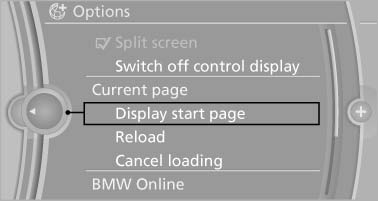
Opening the start page
Loading a new page
1. Open "Options".
2. "Reload"
Cancel
1. Open "Options".
2. "Cancel loading"
See also:
My Info
Selecting additional functions
Additional functions are available when a message
is selected:
...
General information
The glass sunroof is operational when the ignition
is switched on.
Danger of pinching
Monitor the closing process and make
sure that the closing path of the glass sunroof is
clear; otherwise, ...
Tilt
Three different tilt positions are available.
▷ Forward: pull the top edge of the head restraint
forward, arrow 1.
▷ Back: press the button, arrow 2. The head
restraint folds as fa ...