
Displaying contacts
1. "Contacts"
2. "My contacts"
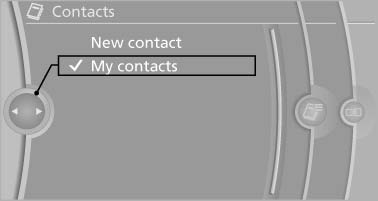
Displaying contacts
All contacts are listed in alphabetical order. Depending on the number of contacts, an A-Z search is offered
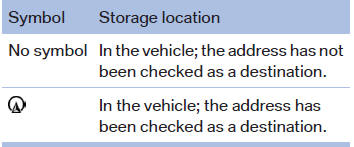
A symbol indicates the storage location of the contacts:
See also:
Initializing after a power failure
After a power failure during the opening or closing
process, the roof can only be operated to a
limited extent.
Initializing the system
The system can be initialized when the vehicle
is statio ...
Bluetooth audio
At a glance
▷ Music files on external devices such as audio
devices or mobile phones can be played
back via Bluetooth.
Use of a mobile phone as an audio source
▷ The sound is output ...
Calls with multiple parties
General information
You can switch between calls or connect two
calls to a single conference call. These functions
must be supported by the mobile phone and
service provider.
Accepting a call whi ...