
Notes
Displaying notes
1. "Office"
2. "Notes"
All notes are displayed.
Displaying the note
1. Select the desired note.
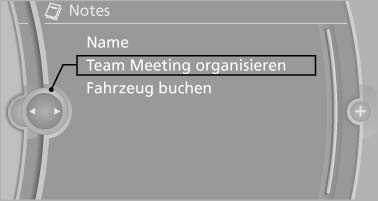
Displaying the note
2. Scroll in the note if necessary:
▷ Turn the controller.
▷  Select the symbol.
Using contact data
Contact data from appointments, tasks, text messages, e-mails, and notes can be saved or selected
Reading the note out loud
Read the note out loud, refer to page
See also:
Deactivating DSC: DSC OFF
When DSC is deactivated, driving stability is reduced
during acceleration and when driving in
bends.
Stabilizing interventions by the Integral Active
Steering system are only performed by the r ...
Deleting the button assignments
1. Press buttons 1 and 8 simultaneously for
approx. five seconds.
2. "OK" ...
General information
Danger of pinching
Monitor the closing process and make
sure that the closing path of the glass sunroof is
clear; otherwise, injuries may result.◀
Take the remote control with you
Tak ...