
Display the calendar
Appointments during the last 20 days and the next 50 days can be displayed.
1. "Office"
2. "Calendar"
The appointments on the current day are displayed.
1. Select the date.
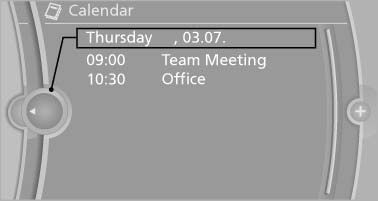
Selecting the calendar day
2. Select the desired day or date.
▷ "Next day"
▷ "Date:"
▷ "Previous day"
▷ "Today"
See also:
Malfunction
A message is displayed in the instrument cluster.
HDC is not available, e.g., due to elevated
brake temperatures. ...
Displays in the instrument cluster
Desired speed
▷ The marking lights up in
green: the system is active.
▷ The marking lights up in orange:
the system has been
interrupted.
▷ The marking does not light up: ...
Cupholders
Notes
Shatter-proof containers and no hot
drinks
Use light and shatter-proof containers and do
not transport hot drinks. Otherwise, there is the
increased danger of injury in an accident.
U ...