
AUX-IN port
At a glance
▷ For connecting audio devices, e.g., MP3 player. The sound is output on the vehicle loudspeakers.
▷ Recommendation: use medium tone and volume settings on the audio device. The tone depends on the quality of the audio files.
Connecting
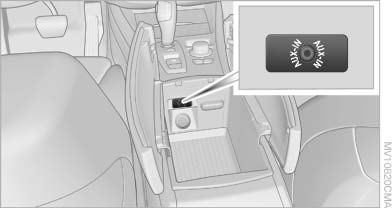
Connecting
The AUX-IN port is in the center armrest.
Connect the headphone connector or line-out connector of the device to the AUX-IN port.
Playback
1. Connect the audio device, switch it on and select a track on the audio device.
2. "CD/Multimedia"
3. If necessary,"External devices"
4.  "AUX front"
Sound is output on the vehicle loudspeakers.
Volume
The volume of the sound output is dependent on the audio device. If this volume differs markedly from the volume of the other audio sources, it is advisable to adjust the volumes.
Adjusting the volume
1. "CD/Multimedia"
2. If necessary,"External devices"
3. "AUX front"
4. "Volume"
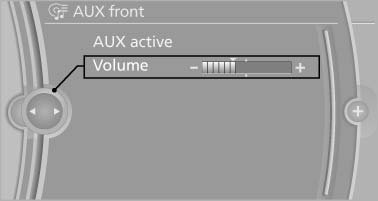
Adjusting the volume
5. Turn the controller until the desired volume is set and press the controller.
See also:
Use coasting conditions
When approaching a red light, take your foot off
the accelerator and let the vehicle coast to a halt.
On a downhill gradient, take your foot off the accelerator
and let the vehicle roll.
The flo ...
Using the remote control
General information
Take the remote control with you
People or animals left unattended in a
parked vehicle can lock the doors from the inside.
Always take the remote control with you
when lea ...
Have maintenance carried out
Have vehicles maintained regularly to achieve optimal vehicle
economy and operating life.
Have the maintenance carried out by your service
center.
Please also note the BMW Maintenance System ...