
RDS
RDS broadcasts additional information, such as the station name, in the FM wave band. When playing a station with multiple frequencies, the system automatically switches to the frequency with the best reception, if needed.
Switching the RDS on/off
1. "Radio"
2. "FM"
3. Open "Options".
4. "RDS"
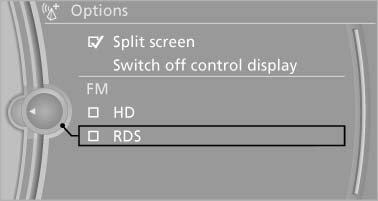
RDS
The setting is stored for the remote control currently in use.
See also:
Close the windows and glass
sunroof
Driving with the glass sunroof and windows
open results in increased air resistance and
raises fuel consumption. ...
Performance
What sets the 5 Series wagon apart from the A6 and E-Class is the way it
drives. Sure, its looks scream BMW inside and out, but so does the sweetly
smooth acceleration coming from the twin-turbo s ...
The concept
> The voice activation system can be used to control functions by spoken commands.
> Functions that can only used when the vehicle is stopped cannot be operated using
the voice activation sys ...