
Customer Relations
At a glance
Contact Customer Relations for information on all aspects of your vehicle.
Calling Customer RelationsVehicle not equipped with BMW Assist or BMW TeleServices
1. "BMW Assist" or "ConnectedDrive"
2. "Customer Relations"
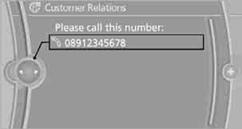
The Customer Relations phone number is displayed. If a mobile phoneis paired, a connection is established to Customer Relations.
Vehicle equipped with BMW Assist or
BMW TeleServices
1. "BMW Assist" or "ConnectedDrive"
2. "Customer Relations"
3. "Start service"
See also:
Storing favorites
Up to 30 favorites can be stored in the favorites list. Available favorites are
artist, track, game, league and team.
Storing the artist, track or gameIt is only possible to store favorites that ar ...
Manual transmission
Starting the engine
1. Depress the brake pedal.
2. Press on the clutch and shift to neutral.
3. Press the Start/Stop button.
The ignition is activated automatically for a certain
time and is sto ...
Compressed audio files
Playback
1. Select the directory if necessary.
Select the directory if necessary
2. Press the button.
3. Select a track.
Select a track
4. Press the button.
5. Select "Play".
6 ...