
Opening/closing the sliding visor
You can move the sliding visor independently with the sunroof closed or tilted.
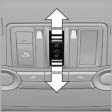 ▷ Press the switch in the
desired
direction to the resistance
point and hold it there.
▷ Press the switch in the
desired
direction to the resistance
point and hold it there.
The sliding visor moves while
the switch is being held.
▷ Press the switch in the desired direction
past the resistance point.
The sliding visor moves automatically.
Pressing the switch again stops the motion.
See also:
Comfort Access
Comfort Access enables you to enter your vehicle without needing to hold the
remote control in your hand. All you need to do is wear the remote control close
to your body, e.g. in your jacket pock ...
Storing the position
The current position can be stored in the address
book.
1. "Navigation"
2. Open "Options".
3. "Store position as contact" or "Add position
to contact"
...
Activating/deactivating the functions
Several menu items are preceded by a checkbox.
It indicates whether the function is activated
or deactivated. Selecting the menu item
activates or deactivates the function.
The function is acti ...