
Setting the voice dialog
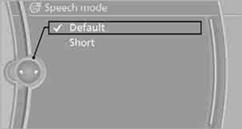
You can set whether the system uses the standard dialog or a short version.
In the short version of the voice dialog, the responses from the system are given in abbreviated form.
On the Control Display:
1. "Settings"
2. "Language/Units"
3. "Speech mode:"
4. Select a setting.
See also:
Resuming the original route
If the route section should no longer be bypassed:
1. "Navigation"
2. "Route information"
3. "New route for:"
4. "Remove blocking" ...
Headphones, vehicle
loudspeakers
Connecting the headphones
Normal headphones
Connect via the jack 1/8"/3.5 mm, on the rear CD/DVD player.
Infrared headphones
Connection via the infrared interface on the
lower edge of the s ...
Releasing
With the ignition switched on:
Automatic transmission: Press
the switch
while the brake is pressed or transmission
position P is engaged.
The LED and indicator lamp go out.
The parking bra ...