
Operating BMW Online
To start a search:
▷ Turn the controller to highlight an element.
▷ Press the controller to display an element.
Opening the start page
1. Open "Options".
2. "Display start page"
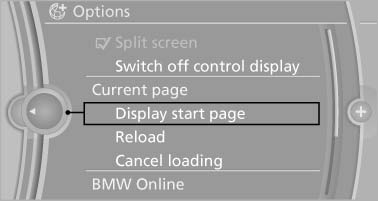
Opening the start page
Loading a new page
1. Open "Options".
2. "Reload"
Cancel
1. Open "Options".
2. "Cancel loading"
See also:
Going & Stopping
The twin-turbo 3.0-liter inline-six-cylinder that powers the X6 xDrive35i is
the same engine that impressed us in the 335i and 135i, and it shows itself to
be a capable SUV engine, too.
Even tho ...
System limits
Personal responsibility
The high-beam assistant cannot serve as
a substitute for the driver's personal judgment
of when to use the high beams. Therefore, manually
switch off the high beams in sit ...
The concept
This system can replace up to three different
hand-held transmitters for various types of remote-
controlled equipment, such as garage
doors or lighting systems.
The hand-held transmitter signa ...