
External devices
General information
External audio and video devices and digital cameras can be connected to cinch sockets, on the CD/DVD player. Operation takes place on the external device.
Due to the large number of different audio and video devices available on the market, it cannot be ensured that every audio and video device will be displayed correctly on the screen.
Connecting an external device
1. Fold down the cover in front of the cinch sockets on the CD/DVD player.
2. Connect the external device to the RCA sockets.
- Video: yellow socket.
- Audio: white and red socket.
Starting playback
1. "CD/Multimedia"
2. "External devices"
3. Select the
 or
or
 symbol.
Volume
The volume of the sound output is dependent on the audio device. If this volume differs markedly from the volume of the other audio sources, it is advisable to adjust the volumes.
Adjusting the volume
The volume can only be adjusted if no external video device is connected.
1. "CD/Multimedia"
2. "External devices"
3. Select the
 or
or
 symbol.
4. "Volume"
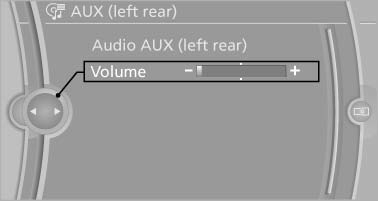
5. Turn the controller until the desired volume is set and press the controller.
See also:
Automatic deactivation
In certain situations, the Automatic Engine Start/
Stop Function is deactivated automatically for
safety reasons, such as when the driver is detected
to be absent
Malfunction
The automatic eng ...
DTMF suffix dialing
DTMF suffix dialing can be used for gaining access
to network services or for controlling devices,
e.g., to make a remote inquiry of an answering
machine. The DTMF code is needed for this
purp ...
Opening
Front
Front
To open the cover, slide it forward
Rear
BMW X6
BMW X6
Slide the cover back.
Emptying
Take out the insert. ...