
Bypassing a section of the route
Calculate a new route for a route section.
1. "Navigation"
2. "Route information"
3. "New route for"
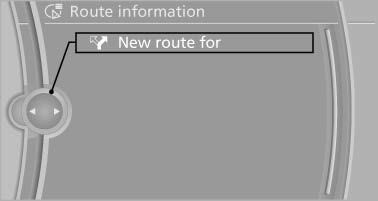
4. Turn the controller. Enter the number of kilometers within which you would like to return to the original route.
5. Press the controller.
See also:
Swapping the telephone and additionaltelephone
The function of the telephone and additional telephone
can be swapped automatically.
1. "Telephone"
2. "Bluetooth® (phone)"
3. "Swap phone/addit. phone" ...
External devices
Overview
AUX-IN port
Overview> It is possible to connect audio devices, e.g. MP3 players. Sound is output
over the vehicle speakers.
> Recommended settings: mid-level tone and volume settin ...
Service Request
At a glance
Sends information to your service partner to request
the arrangement of a service appointment.
The TeleService data is transmitted during
a Service Request. If possible, your service ...