
Assistance functions
Functional requirement
- The backup camera is switched on.
- The trunk lid is fully closed.
Pathway lines
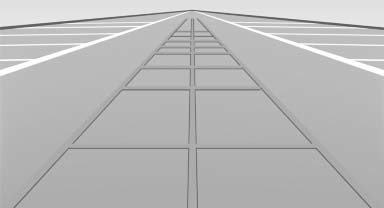
- Can be shown in the backup camera image when in transmission position R.
- Help you to estimate the space required when parking and maneuvering on level roads.
- Are dependent on the current steering angle and are continuously adjusted to the steering wheel movements.
Show the parking aid lines.
Turning circle lines
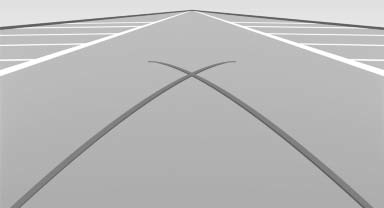
- Can be shown in the backup camera image.
- Show the course of the smallest possible turning circle on a level road.
- Only one turning circle line is displayed when the steering wheel is turned.
Show the parking aid lines.
Parking using pathway and turning circle lines
1. Position the vehicle so that the turning circle lines lead to within the limits of the parking space.
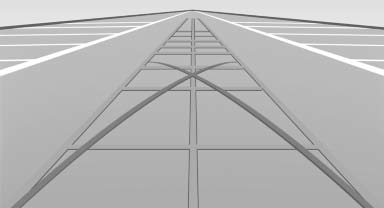
2. Turn the steering wheel to the point where the pathway line covers the corresponding turning circle line.
Obstacle marking
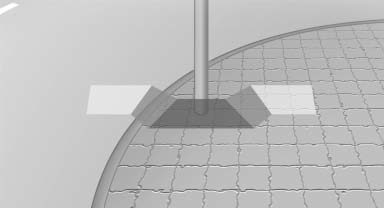
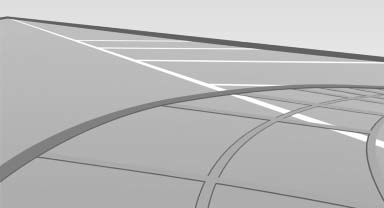
▷ Spatially-shaped markings can be shown in the backup camera image.
Their colored steps match the markings of the PDC. This simplifies estimation of the distance to the object shown.
See also:
Status field
The following information is displayed in the status
field at the top right:
► Time.
► Current entertainment source.
► Sound output, on/off.
► Wireless network reception ...
The concept
The Check Control system monitors functions
in the vehicle and notifies you of malfunctions in
the monitored systems.
A Check Control message is displayed as a
combination of indicator or warnin ...
Shift paddles for Sport automatic
transmission
Shift paddles for Sport automatic
transmission
The shift paddles on the steering wheel allow
you to shift gears quickly while keeping both
hands on the steering wheel.
If the shift paddles o ...