
Setting the voice dialog
You can set whether the system should use the standard dialog or a shorter version.
In the shorter variant of the voice dialog, the announcements from the system are issued in an abbreviated form.
On the Control Display:
1. "Settings"
2. "Language/Units"
3. "Speech mode:"
4. Select the setting.
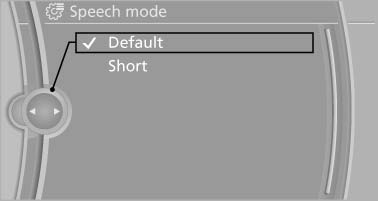
On the Control Display
See also:
Snow chains
Only certain fine-link snow chains have been
tested by BMW, classified as safe for use and
recommended. Consult your service center for
more information.
BMW X5: use only in pairs on the rear w ...
Resetting the system
Reset the system after each correction of the
tire inflation pressure and after every tire or
wheel change.
1. "Vehicle Info"
2. "Vehicle status"
3. "Reset"
4. S ...
Safety switch for the rear
Press the button on the
driver's door if
children are being transported in the
rear.
This locks various functions so that they cannot
be operated from the rear: safety switch. ...