
Date
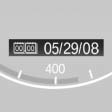
The date is displayed in the instrument cluster.
Setting the date and date format.
See also:
Selecting a track
Buttons on CD/DVD player
Press the button
for the corresponding
direction repeatedly until you reach the desired
track.
Playback begins at the start of the track.
Using the remote control
...
Exporting/importing contacts
Contacts can be exported and imported via the
Personal Profile. The contacts
stored in the vehicle are exported, but not those
from the mobile phone. ...
Tasks
Displaying the task list
Display tasks that are due within the next
90 days.
1. "Office"
2. "Tasks"
Sorting the task list
1. Select the header in the task list.
2. Sele ...