
Controls
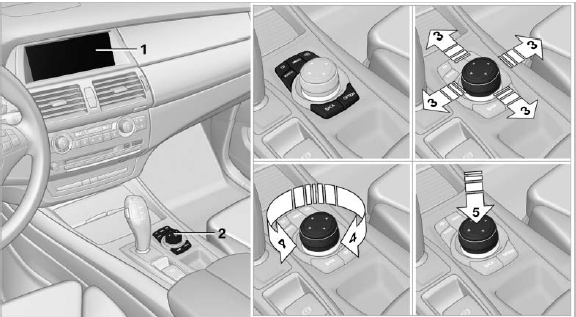
Controls
1. Control Display
2. Controller with buttons
The buttons can be used to open the menus directly. The controller can be used to select menu items and create the settings.
The buttons can be used to open the menus directly. The controller can be used to select menu items and create the settings.
▷ Move in four directions, arrow
▷ Turn, arrow
▷ Push, arrow
See also:
Hazard warning flashers
The button is located in the center console. ...
Servotronic
The conceptThe Servotronic varies the steering force required to turn the wheels relative
to the vehicle speed.
At low speeds, the steering force is strongly assisted, i.e. less force is needed
f ...