
Office information
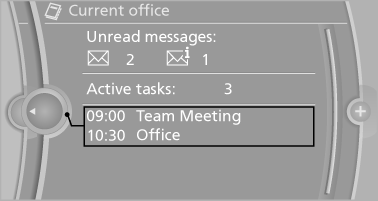
The number of unread messages and active tasks as well as the upcoming appointments are displayed.
1. "Office"
2. "Current office"
3. Select the desired entry to display details.
See also:
Automatic deactivation during forward
travel
The system switches off when a certain driving
distance or speed is exceeded.
Switch the system back on if necessary. ...
Redialing
General information
The list of dialed numbers in the mobile phone
is transmitted to the vehicle depending on the
mobile phone. The 20 phone numbers dialed
last are displayed. The sorting order ...
Even more entertainment at the wheel: with BMW Live and BMW Online
Subject to owning a suitable internet-compatible mobile phone and arranging a
requisite data tariff, new BMW 3-Series Sedan customers can enjoy a selection of
services from the existing BMW Online ...