
Equalizer
Setting for individual audio frequency ranges.
Adjusting the equalizer
1. "CD/Multimedia", "Radio" or "Settings"
2. "Tone"
3. "Equalizer"
4. Select the desired setting.
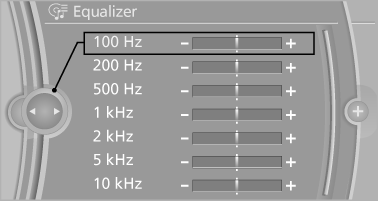
5. To adjust: turn the controller.
6. To store: press the controller.
See also:
Exporting/importing contacts
Contacts can be exported and imported via the
Personal Profile. The contacts
stored in the vehicle are exported, but not those
from the mobile phone. ...
Exterior & Styling
The 2011 5 Series is further proof that BMW is pulling itself out of an
awkward design era. Recently, the only element that had seemed to tie one model
to another was an ill-conceived — and poorly ...
Camera
The camera is located near the base of the mirror.
Keep windshield clean and clear in the area in
front of the interior rear view mirror. ...