
Bypassing a section of the route
Calculate a new route for a route section.
1. "Navigation"
2. "Route information"
3. "New route for"
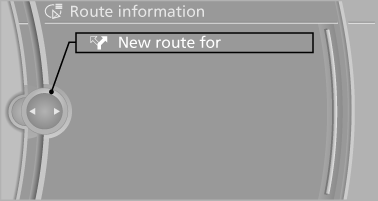
4. Turn the controller. Enter the number of
miles within which you would like to return
to the original route.
5. Press the controller.
See also:
Hiding Check Control messages
Press the computer button on the turn signal
lever.
▷ Some Check Control messages are displayed
continuously and are not cleared until
the malfunction is eliminated. If several
malfun ...
Interior rearview mirror
Reducing the blinding effect
Reducing the blinding effect
From behind when driving at night: turn the
knob. ...
Opening the traffic bulletins
1. "Navigation"
2. "Map"
3. "Traffic Info"
First the traffic bulletins for the calculated
route are displayed. The traffic bulletins are
sorted by their distance ...