
Language
Setting the language
To set the language on the Control Display:
1. "Settings"
2. "Language/Units"
3. "Language:"
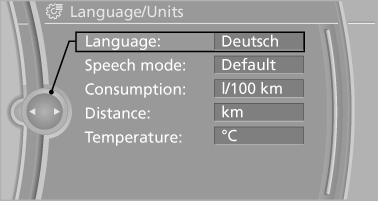
4. Select the desired language.
The setting is stored for the remote control currently in use.
Setting the voice dialog
Voice dialog for the voice activation system, refer to page 23.
See also:
Changing between panels
After a menu item is selected, e.g., "Radio", a
new panel is displayed. Panels can overlap.
▷ Move the controller to the left.
The current panel is closed and the previous
panel ...
Side airbags
In a lateral impact, the side airbag supports the
side of the body in the chest and lap area. ...
Messages
General information
Whether or not text messages and e-mails from
the mobile phone are displayed depends on
whether transmission from the mobile phone to
the vehicle is supported. Text messages an ...