
Opening/closing the sliding visor
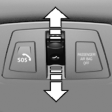 ► Press the switch in the
desired
direction to the resistance
point and hold it there.
► Press the switch in the
desired
direction to the resistance
point and hold it there.
The sliding visor moves while the switch is being held.
► Press the switch in the desired direction past the resistance point.
The sliding visor moves automatically.
Pressing the switch again stops the motion.
See also:
Switching on automatically
Select transmission position R with the engine
running.
The backup camera image is displayed if the
system was switched on via the iDrive. ...
Using this Owner's Manual
The fastest way to find information on a particular
topic is by using the index.
An initial overview of the vehicle is provided in
the first chapter.
Updates made after the editorial
deadline
...
BMW Assist
General informationBMW Assist provides a number of different services. For example, the position
data of the vehicle can be transmitted to the BMW Assist Response Center when an
Emergency Requesti ...