
Switching on/off
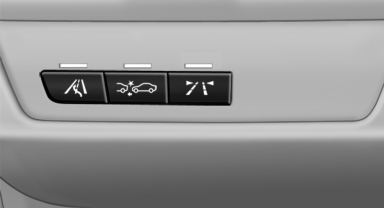
Switching on/off
 Press the button.
▷ On: the LED lights up.
▷ Off: the LED goes out.
The system can issue warnings at speeds above approx. 30 mph/50 km/h.
The state is stored for the remote control currently in use.
See also:
Notes
Displaying notes1. "Office"
2. "Notes"
All notes are displayed.
Displaying a note1. Select the desired note.
2. To scroll through the note, if necessa ...
Tire inflation pressures at max. speeds above 100 mph/160 km/h
Speeds above 100 mph/160 km/h
In order to drive at maximum speeds in excess
of 100 mph/160 km/h, please observe, and,
if necessary, adjust tire pressures for speeds
exceeding 100 mph/160 km/h ...
Safety belts
Seats with safety belt
The vehicle has five seats, each of which is
equipped with a safety belt.
Notes
Always make sure that safety belts are being
worn by all occupants before driving away.
...