
Hazard warning flashers
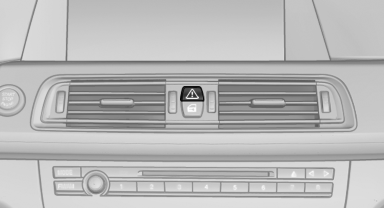
The button is located in the center console.
See also:
General information
The iDrive functions can be stored on the programmable
memory buttons and called up directly,
e.g., radio stations, navigation destinations,
phone numbers and entry points into the
menu.
The ...
Variable sport steering
The variable sport steering increases the steering
angle of the front wheels at large steering
wheel angles, e.g., in tight curves or when parking.
Steering becomes more direct.
It also varies t ...
Pinch protection system
If the closing force when closing the glass sunroof
exceeds a certain value, the closing movement
is stopped, beginning at approximately the
middle of the opening in the roof, or from the
tilt ...