
Fuel cap
Opening
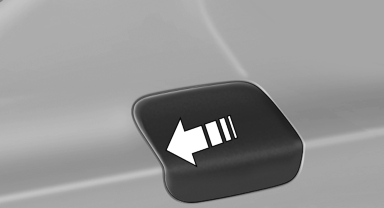
1. Briefly press the rear edge of the fuel filler flap.
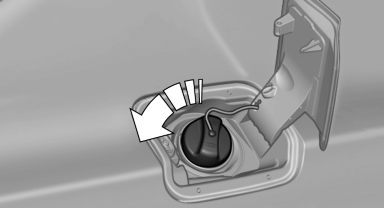
2. Turn the fuel cap counterclockwise.
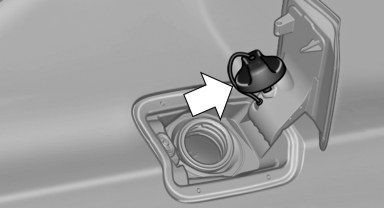
3. Place the fuel cap in the bracket attached to the fuel filler flap.
Closing
1. Fit the cap and turn it clockwise until you
clearly hear a click.
2. Close the fuel filler flap.
 Do not pinch the retaining strap
Do not pinch the retaining strap attached
to the cap; otherwise, the cap cannot be closed
properly and fuel vapors can escape.
A message is displayed if the cap is loose or missing.◀
Manually unlocking fuel filler flap
In the event of an electrical malfunction, for example.
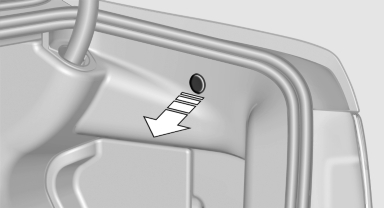
Pull the green knob with the fuel pump symbol.
This releases the fuel filler flap.
See also:
Notes
Always make sure that safety belts are being
worn by all occupants before driving away.
Although airbags enhance safety by providing
added protection, they are not a substitute for
safety belts ...
Setting the voice dialog
You can set whether the system should use the
standard dialog or a shorter version.
In the shorter variant of the voice dialog, the announcements
from the system are issued in an
abbreviated fo ...
Switching on the rear window wiper
Press the lever forward: intermittent wipe. When
reverse gear is engaged, the system switches to
continuous operation.
To clean the rear window, press the lever further
forward. ...