
AUX-IN port
At a glance
▷ For connecting audio devices, e.g., MP3
player. The sound is output on the vehicle
loudspeakers.
▷ Recommendation: use medium tone and
volume settings on the audio device. The
tone depends on the quality of the audio
files.
Connecting
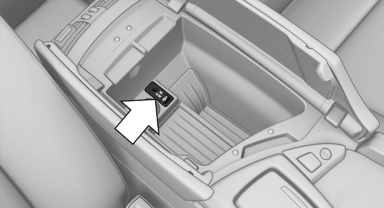
The AUX-IN port is located in the center armrest.
Connect the headphones or line-out connector of the device to the jack plug.
Playback
1. Connect the audio device, switch it on and
select a track on the audio device.
2. "CD/Multimedia"
3. If necessary "External devices".
4.  "AUX front"
Volume
The volume of the sound output is dependent on the audio device. If this volume differs markedly from the volume of the other audio sources, it is advisable to adjust the volumes.
Adjusting the volume
1. "CD/Multimedia"
2. If necessary "External devices".
3. "AUX front"
4. "Volume"
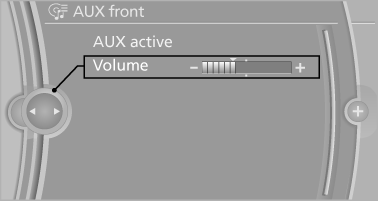
5. Turn the controller until the desired volume is set and press the controller.
See also:
Display the calendar
Appointments during the last 20 and the next 50
days can be displayed.
1. "Office"
2. "Calendar"
The appointments on the current day are
displayed. ...
X3 in the Market
At $38,000, the X3 starts substantially higher than its nearest competitor,
the Acura RDX. Save for its problematic transmission behavior, the BMW offers a
more buttoned-down driving experience th ...
Sound output
Switching on/off
When the ignition is switched off: press ON/OFF
button on the radio.
Muting
When the ignition is switched on or the engine
is running: press the ON/OFF button on the
radio. ...