
Switching on/off manually
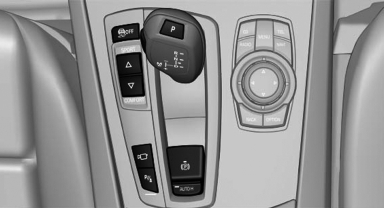
Switching on/off manually
 Press the
button.
Press the
button.
▷ On: the LED lights up.<> ▷ Off: the LED goes out.
See also:
Roadside Assistance
At a glance
BMW Roadside Assistance* can be contacted if
assistance is needed in the event of a breakdown.
Roadside Assistance* can also be contacted via
a Check Control message.
Starting Roads ...
System limits
Basic limits
System operation is limited in situations such as
the following:
▷ On steep hills, in steep depressions or in
tight curves.
▷ When the camera is dirty or the protective ...
General information
Front
Two different driver's seat, exterior mirror, and
steering wheel positions can be stored and retrieved
for each remote control. The adjustment
of the lumbar support is not stored.
Rear ...