
Activating HDC
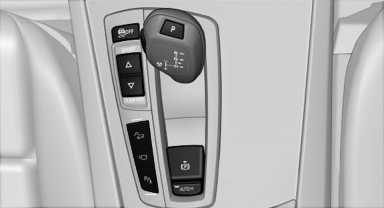
 Press the button; the LED above
the button
lights up.
Press the button; the LED above
the button
lights up.
See also:
Wiper blade replacement
General information
Do not fold down the wipers without wiper
blades
Do not fold down the wipers if wiper blades have
not been installed; this may damage the windshield.◄
Replacing the fro ...
The concept
The central locking system becomes active
when the driver's door is closed.
The system simultaneously engages and releases
the locks on the following:
▷ Doors.
▷ Tailgate.
▷ ...
TRACTION
Maximum traction on loose road surfaces. DTC
Dynamic Traction Control is switched on. Driving
stability is limited during acceleration and
when driving in bends.
Activating TRACTION
Press the ...