
Overview, instrument cluster
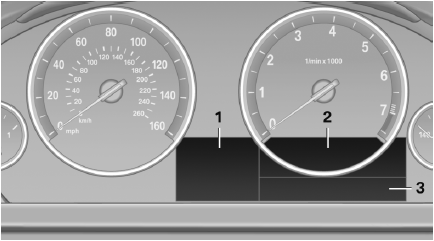
1. Miles/trip miles
External temperature
Time
Date
Range
Selection list, e.g., radio
Navigation display
Computer
2. Transmission display
Current fuel consumption
Energy recovery
3. Service requirements
Messages, e.g. Check Contro
Navigation display
See also:
SPORT
Consistently sporty tuning of the suspension for
greater driving agility with maximum driving stabilization.
The program can be configured to individual
specifications.
The configuration is stor ...
Office
...
Capacities
...