
Opening the main menu
 Press the button.
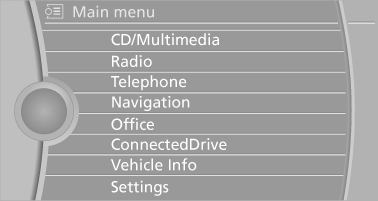
The main menu is displayed.
All iDrive functions can be called up via the main menu.
See also:
The concept
The parked-car ventilation ventilates the vehicle
interior and lowers its temperature, if necessary.
The system can be switched on and off at any
external temperature, either directly or by using ...
Entering a phone number
Dialing a number
When entering phone numbers, you can switch
between entering letters and numbers.
Service numbers can be entered more easily,
e. g. 1-888-BMW-CARD.
1. "Telephone"
2. ...
Status field symbols
The symbols are grouped into various categories.
Radio symbols
Symbol
Meaning
Traffic bulletins switched on.
HD Radio is switched on.
Satellite radio ...