
Controller
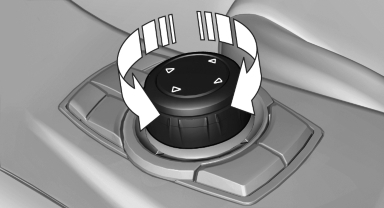
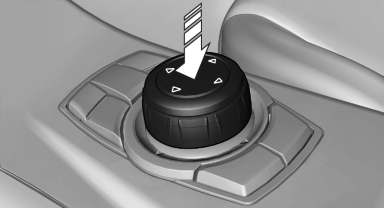
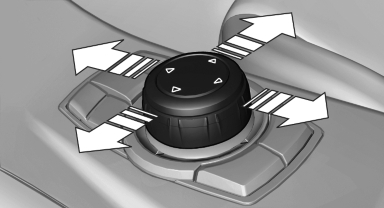
Select menu items and create settings.
1. Turn.
2. Press.
3. Move in four directions.
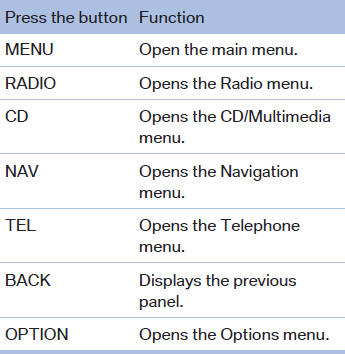
Buttons on controller
See also:
5 Series in the Market
The things that trouble me about the 5 Series — high price, fewer standard
features than some competing models — are things that sort themselves out. If
BMW is asking too much for too little, cons ...
Saving fuel
The fuel consumption of your vehicle depends on several factors. You can lower
fuel consumption and the environmental impact by taking certain measures, adjusting
your driving style and having the ...
Programming
General information
1. Switch on the ignition.
2. Initial setup:
Press and hold the left and right button on
the interior rearview mirror simultaneously
for approximately 20 seconds until the L ...