
Screw thread
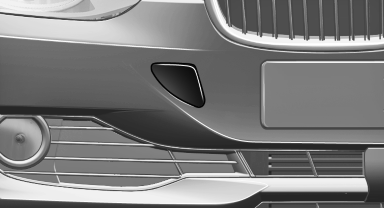
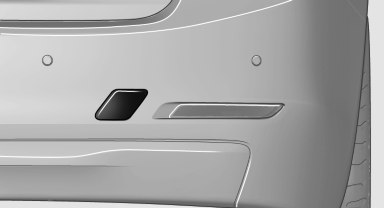
Push out the cover by pressing on the top edge.
Front
Rear
See also:
Controls
Activating
Switch position with the
ignition switched
on.
The turning lamps are automatically switched
on depending on the steering angle or the use
of turn signals.
To avoid blinding onco ...
Charismatic front, elegant side, muscular rear.
The expressive front end of the new BMW 5-Series Sedan presents the sporting
character of the car. The upright BMW kidney grille - even appearing from some
angles to lean forward - symbolizes the ...
Upholstery material care
Vacuum regularly with a vacuum cleaner.
If they are very dirty, e.g., beverage stains, use a
soft sponge or microfiber cloth with a suitable
interior cleaner.
Clean the upholstery down to the se ...