
Message from the Concierge service
Storing an address
1. Select the desired message.
2. "Options" Open.
3. "Store contact in vehicle"
Selecting additional functions
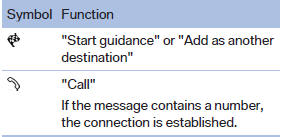
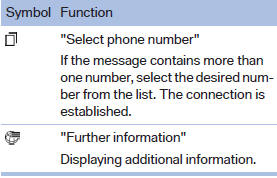
Additional functions are available when a message is selected:
See also:
The concept
The iDrive combines the functions of a multitude
of switches. Thus, these functions can be operated
from a central location.
Using the iDrive during a trip
To avoid becoming distracted and posi ...
Shift paddles for Sport automatictransmission
The shift paddles on the steering wheel allow
you to shift gears quickly while keeping both
hands on the steering wheel.
If the shift paddles on the steering wheel are
used to shift gears in a ...
Stowing cargo
▷ Heavy cargo: stow as far forward and as low
as possible, ideally directly behind the cargo
area separating wall.
▷ Very heavy cargo: when the rear seat is not
occupied, secure e ...