
Filtering the message list
The message list can be filtered when more than one type of message exists.
1. "Filter:"
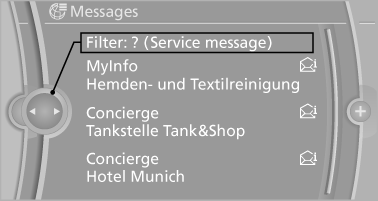
2. Select the type of message.
▷ "All"
All messages are displayed.
▷ "E-mail"
Only e-mails from the mobile phone are displayed.
▷ "Service message"
Only messages from the BMW Assist Concierge service, My Info and BMW Info are
displayed.
▷ "Text message"
Only text messages from the mobile phone are displayed.
See also:
Switching the reception on/off
1. "Navigation"
2. "Options" Open.
3. "Receive Traffic Info" ...
Interior rearview mirror
Reducing the blinding effect
Reducing the blinding effect
From behind when driving at night: turn the
knob. ...
Resetting the system
Reset the system after each correction of the
tire inflation pressure and after every tire or
wheel change.
1. "Vehicle Info"
2. "Vehicle status"
3. "Reset"
4. S ...