
Visual warning
The approach of the vehicle to an object can be shown on the Control Display. Objects that are farther away are displayed on the Control Display before a signal tone sounds.
A display appears as soon as Park Distance Control (PDC) is activated.
If the backup camera image was selected last, it again appears on the display. To switch to PDC:
1.  "Rear view camera" Select the
symbol
on the Control Display.
"Rear view camera" Select the
symbol
on the Control Display.
2. Press the controller.
The setting is stored for the remote control currently in use.
Zoom view
On the left part of the display screen, the vehicle is shown enlarged.
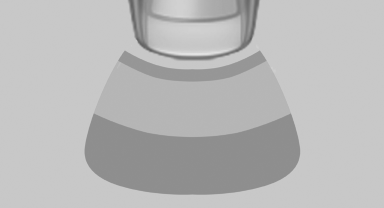
▷ Forward gear or transmission position D engaged:
front area of the vehicle.
▷ Reverse gear or transmission position R engaged:
rear area of the vehicle.
See also:
Radio
FM
AM
Weather Band
Satellite radio
Stored stations
...
The concept
The parking brake is used to prevent the vehicle
from rolling when it is parked.
Engine switched off: the parking brake acts
on the rear wheels.
Engine running: the parking brake acts on
...
General information
BMW Assist provides you with certain services,
e.g., transmission of the position data of your
vehicle to the BMW Assist Response Center if
an Emergency Request has been initiated.
Many BMW Ass ...