
Switching the warning function on/off
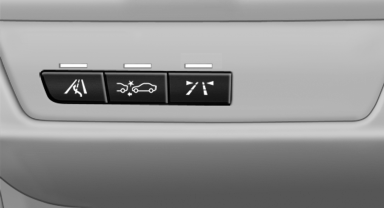
Switching the warning function on/off
 Press the button
▷ On: the LED lights up.
▷ Off: the LED goes out.
The state is stored for the remote control currently in use.
See also:
Replacing the battery
Replacing the battery
1. Take the integrated key out of the remote
control.
2. Push in the catch with the key, arrow 1.
3. Remove the cover of the battery compartment;
see arrow 2.
4. Insert ...
Features & Long-Term Ownership
Starting at $38,000, the X3 comes standard with vinyl upholstery, power front
seats, automatic climate control and a dual-pane panoramic moonroof. Options
include leather, heated front and rear se ...
Managing a subscription
To be able to enable or unsubscribe from the
channels, you must have reception. It is usually
at its best when you have an unobstructed view
of the sky. The channel name is displayed in the
st ...