
Maintaining/storing the speed
 Press the button.
or:
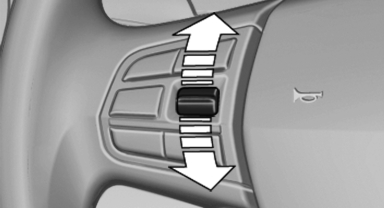
Press the rocker switch while the system is interrupted.
When the system is switched on, the current speed is maintained and stored as the desired speed.
It is displayed in the speedometer and briefly displayed in the instrument cluster, Displays in the instrument cluster.
When cruise control is maintained or stored, DSC Dynamic Stability Control is switched on, if necessary.
See also:
Services offered
▷ Emergency Request: when you press the
SOS button, a connection to the BMW Assist
Response Center is established. The
BMW Assist Response Center then speaks
with you and takes further s ...
The concept
Adaptive light control is a variable headlamp
control system that enables dynamic illumination
of the road surface.
Depending on the steering angle and other parameters,
the light from the head ...
Storing favorites
Up to 30 favorites can be stored in the favorites
list. Available favorites are artist, track, game,
league, and team.
Storing the artist, track, or game
It is only possible to store favorites t ...