
Displaying the button assignment
Use a finger to touch the buttons. Do not wear gloves or use objects.
The key assignment is displayed at the top edge of the screen.
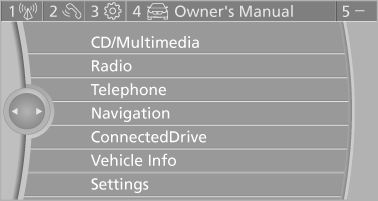
▷ To display short information: touch the button.
▷ To display detailed information: touch the button for an extended period.
See also:
Incoming call
Receiving calls
If the number of the caller is stored in the phone
book and is transmitted by the network, the
name of the contact is displayed. Otherwise,
only the phone number is displayed.
I ...
Sitting safely
The ideal sitting position can make a vital contribution to relaxed, fatigue-free
driving. In conjunction with the safety belts, the head restraints and the airbags,
the seated position has a majo ...
Dimensions
Coupe
All dimensions given in inches/mm. Smallest turning circle dia.: 35.1 ft/10.7
m 135i: height 55.4 in/1,408 mm
Convertible
All dimensions given in inches/mm. Smallest turning circle dia.: 35 ...