
Opening the main menu
 Press the button.
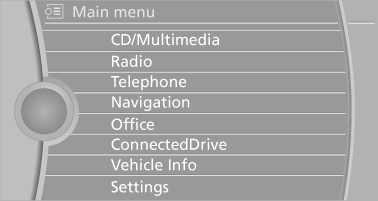
The main menu is displayed.
All iDrive functions can be called up via the main menu.
See also:
For the 530i, 535i, 550i, 525d,
530d and 535d: check oil level
The concept
The oil level is monitored electronically and displayed
on the Control Display.
Requirements
▷ The engine must be running and warm after
the vehicle has been driven for at lea ...
Display the calendar
Appointments during the last 20 and the next 50
days can be displayed.
1. "Office"
2. "Calendar"
The appointments on the current day are
displayed. ...
Incoming call
Receiving calls
If the number of the caller is stored in the phone
book and is transmitted by the network, the
name of the contact is displayed. Otherwise,
only the phone number is displayed.
I ...