
In cargo area
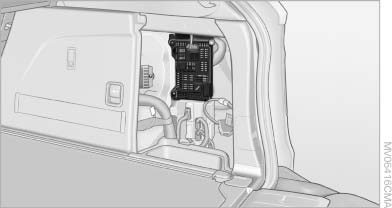
Open the right-hand side panel in the cargo area.
See also:
Interior lamps
The interior lamps, the footwell lamps, entry lamps, cargo area
lamp and courtesy lampsare controlled automatically.
The LEDs for the courtesy lamps are set in the door handles and illuminate the
...
Navigation system
General informationThe navigation system can determine the precise position of the vehicle, with
the aid of satellites and vehicle sensors, and can reliably guide you to every entered
destination. ...
AUTO program
Press the button.
Air volume, air distribution, and temperature are
controlled automatically:
Depending on the selected temperature, AUTO
intensity, and outside influences, the air is directed ...