
Notes
Displaying notes
1. "Office"
2. "Notes"
All notes are displayed.
Displaying the note
1. Select the desired note.
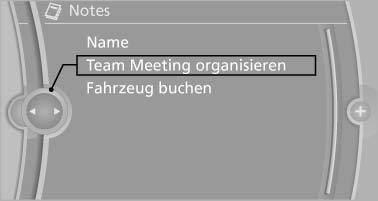
Displaying the note
2. Scroll in the note if necessary:
▷ Turn the controller.
▷  Select the symbol.
Using contact data
Contact data from appointments, tasks, text messages, e-mails, and notes can be saved or selected
Reading the note out loud
Read the note out loud, refer to page
See also:
Checking the address as a destination
An address that is to be used for destination
guidance must match the navigation data contained
in the vehicle. The address can be
checked for this purpose.
1. Select the desired contact and hi ...
Vehicle equipment
All standard, country-specific and optional
equipment that is offered in the model series is
described in this chapter. Therefore, equipment
is also described that is not available in a vehicle, ...
Checking the pressure
Only check the tire inflation pressure when the
tires are cold. This means after driving no more
than 1.25 miles/2 km or when the vehicle has
been parked for at least 2 hours. When the tires
a ...