
Multi-channel playback, surround
Setting multi-channel playback, surround
1. "CD/Multimedia", "Radio" or "Settings"
2. "Tone"
3. "Surround"
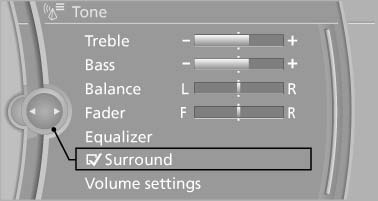
Surround
When surround is activated, multi-channel playback is simulated when a stereo audio track is played.
See also:
At a glance
1. Function bar
2. Route section with traffic obstruction
3. Traffic sign for traffic obstruction
4. Planned route
5. Current location
6. Upper status field
7. Lower status field
Lines in the ...
Route
Different views of the route are available during
destination guidance:
Arrow view in the instrument cluster and on
the Control Display.
List of route sections.
Map view.
Arrow view in ...
Safety
Standard safety features include front-, side-impact and side curtain
airbags. Active head restraints, antilock brakes and an electronic stability
system are also standard. Blind spot and lane dep ...