
Malfunction
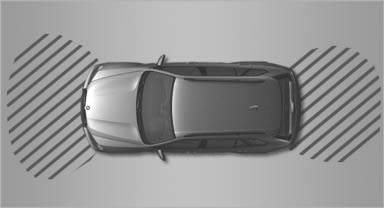 Malfunction
A Check Control message , is displayed in the instrument cluster.
The areas in front of and behind the vehicle appear in shaded form on the Control Display. PDC has failed. Have the system checked.
To ensure full operability:
▷ Keep the sensors clean and free of ice.
▷ When using high-pressure washers, do not
spray the sensors for long periods and maintain
a distance of at least 12 in/30 cm.
See also:
Aerodynamic optimisation of underside panelling
As the excellent drag coefficient (cd = 0.26) would suggest, the aerodynamics
of the new BMW 3-Series have been intensively honed in a state-of-the-art wind
tunnel. The optimised aerodynamics also ...
Status display
The current status of the Tire Pressure Monitor
TPM can be displayed on the Control Display,
e.g., whether or not the TPM is active.
1. "Vehicle Info"
2. "Vehicle status"
3. ...
Making settings for DVD
1.
Press
the button during playback.
Making settings for DVD
2. Make the settings with the remote control:
▷ "Video settings":
▷ "Brightness", "Col ...