
Instrument lighting
You can adjust the brightness of the instrument lighting only when the parking lamps or the low beams are switched on.
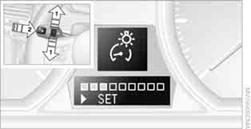
1. Push button 1in the turn signal/high beam lever up or down repeatedly
until the appropriate symbol appears in the display, accompanied by the brightness
level and the word "SET".
2. Press button 2.
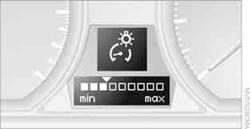
3. Push button 1up or down to select the desired brightness level.
4. Press button 2.
The display again shows the outside temperature and the time.
See also:
Switching on/off
1. "Settings"
2. "Info display"
3. "Speed limit information"
If speed limit detection is switched on, it can be
displayed on the info display in the instrument
clu ...
Reassigning individual programs
1. Switch on the ignition.
2. Hold the hand-held transmitter a distance of
approx. 1 to 3 in/2.5 to 8 cm from the memory
buttons.
The required distance depends on the
manual transmitter.
3. H ...
Steering wheel
Adjustments Do not adjust the steering wheel position while
the car is in motion; otherwise, there is a risk of an accident due to unexpected
movement.
1. Fold the lever down.
2. M ...