
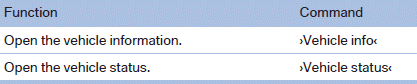
Vehicle information
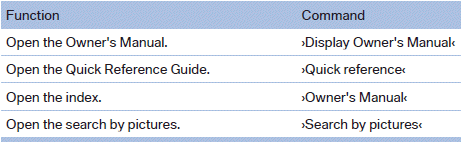
Owner's Manual
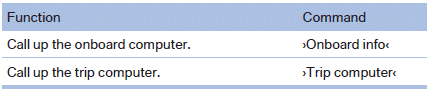
Computer
Vehicle
See also:
Options menu
The split screen is not available and there is no
Integrated Owner's Manual.
Operation is the same as for the front menu options. ...
Display
The collision warning can be issued in the instrument
cluster, in the Head-up Display*, and
acoustically.
Instrument cluster
The vehicle lights up in red:
prewarning
The vehicle flashes red ...
Displaying status
Information about the currently available software
applications can be displayed.
1. "ConnectedDrive"
2. "BMW apps" ...