
Selection lists in theinstrument cluster
The concept
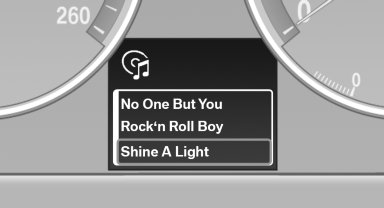
The following can be operated using the buttons and the thumbwheel on the steering wheel and the display in the instrument cluster:
► Current audio source.
► Redial on telephone.
► Activation of the voice activation system.
Activating a list and adjusting the setting
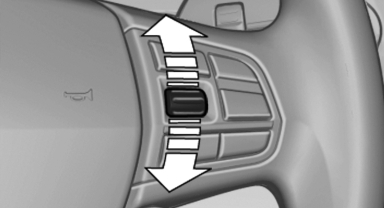
On the right side of the steering wheel, turn the thumbwheel to activate the corresponding list.
Using the thumbwheel, select the desired setting and confirm it by pressing the thumbwheel.
See also:
Transmission positions
D Drive, automatic position
Position for normal vehicle operation. All forward
gears are available.
R is Reverse
Select only when the vehicle is stationary.
N is Neutral
Use in automatic car wa ...
Text messages
Text messages at the upper edge of the Control
Display in combination with a symbol in the instrument
cluster explain a Check Control message
and the meaning of the indicator and warning
lamps ...
Winter tires
The manufacturer of your vehicle recommends
winter tires for winter roads or at temperatures
below +45 ℉/+7 ℃.
Although so-called all-season M+S tires do provide
better winter tract ...