
Front seat heating
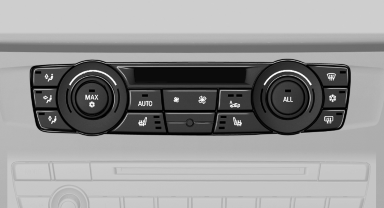
Switching on
 Press the button once for each
temperature
level.
Press the button once for each
temperature
level.
The maximum temperature is reached when three LEDs are lit.
If the drive is continued within approx. 15 minutes, the seat heating is activated automatically with the temperature selected last.
Switching off
 Press the button longer.
The LEDs go out.
See also:
Possible commands
Most menu items on the Control Display can be spoken as commands.
The available commands depend on which menu is currently selected on the Control
Display.
There are short commands for functions o ...
Reminders
Displaying reminders
Reminders of pending appointments and tasks
are displayed. After an appointment or after a
task is due, the reminder is no longer displayed.
1. "Office"
2. " ...
Rear seat heating
Rear seat heating
Switching on
Press the button once for each
temperature
level.
The maximum temperature is reached when
three LEDs are lit.
If the drive is continued within approx. 15 mi ...