
Tilting the glass sunroof
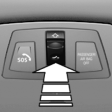 Push switch upward briefly.
► The closed roof is tilted and
the sliding visor opens
slightly.
► The opened roof closes until
it is in its tilted position. The
sliding visor stays completely
open.
See also:
Striking accentuations at the front and rear, adaptive LED headlamps as a
fnew option
Precisely modified details in the front view give the new BMW X6 an
appearance characterised by exclusive athleticism and supremacy. The standard
fog lights are now set in matt finish surrounds in ...
Headlamps
▷ Do not rub dry and do not use abrasive or
caustic cleansers.
▷ Soak areas that have been soiled e.g. due to
insects, with shampoo and wash off with
water.
▷ Thaw ice with d ...
Remove attached parts following use
Remove unneeded auxiliary mirrors, roof or rear
luggage racks after use.
Attached parts on the vehicle impair the aerodynamics
and increase the fuel consumption. ...