
Changing settings
1. Select a field.
2. Turn the controller until the desired setting
is displayed.
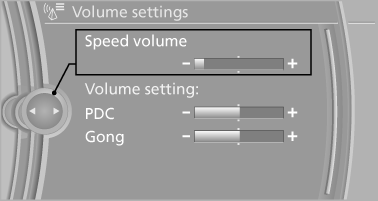
3. Press the controller.
See also:
Indication of a flat tire
The yellow warning lamp lights
up. A
Check Control message is displayed.
There is a flat tire or a major loss in tire
inflation pressure.
1. Reduce your speed and stop cautiously.
Avoid ...
Ambient conditions
> Say the commands, numbers and letters smoothly and with normal volume, emphasis
and speed.
> Always speak the commands in the language of the voice activation system.
> When selecting a ...
Vehicle equipment
All standard, country-specific and optional
equipment that is offered in the model series is
described in this chapter. Therefore, equipment
is also described that is not available in a vehicle,
e ...