
Heat image
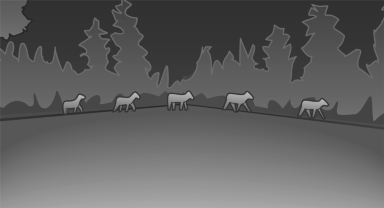
The image shows the heat radiated by objects in the field of view of the camera.
Warm objects have a light appearance and cold objects, a dark appearance.
The ability to detect an object depends on the temperature difference between the object and the background and on the level of heat radiation emitted by the object. Objects that are similar in temperature to the environment or that radiate very little heat are difficult to detect.
For safety reasons, when driving at speeds above approx. 3 mph/5 km/h and in low ambient light, the image is only displayed when the low beams are switched on.
A still image is displayed at regular intervals for a fraction of a second.
See also:
Traffic Jump
Traffic and weather information for a selected
region is broadcast every few minutes.
Selecting a region
1. "Radio".
2. "Satellite radio".
3. "Options" Open.
4. &q ...
Automatic transmission: transporting your vehicle
Note
Your vehicle is not permitted to be towed.
Therefore, contact a service center in the event
of a breakdown.
Do not have the vehicle towed
Have your vehicle transported on a loading
platf ...
New 8-speed Automatic Transmission with Steptronic.
On both new gasoline models of the BMW X5, sending the newfound power to the
standard xDrive intelligent all-wheel drive system is BMW's new 8-speed
automatic transmission with Steptronic control. ...