
Time
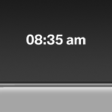 The time is displayed at the
bottom
of the instrument cluster.
The time is displayed at the
bottom
of the instrument cluster.
Setting the time and time format
See also:
Text messages
Text messages at the upper edge of the Control
Display explain the meaning of the displayed indicator
and warning lamps. ...
Controller
Select menu items and create settings.
1. Turn.
2. Press.
3. Move in four directions.
Buttons on controller
...
Environmental conditions
▷ Say the commands, numbers, and letters
smoothly and with normal volume, emphasis,
and speed.
▷ Always say commands in the language of
the system. The language for the mobile
pho ...